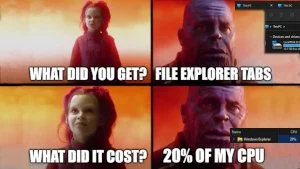
Windows 11 has a bug effecting some systems. Out of my 3 Windows 11 systems, one of them had this happen.
View post by @christitustech on X
Underlying Problem
Two services are interacting with Windows Explorer that are the root of this problem. Widgets and Typing experience from Windows 11. Even if you disabled these services, they will relaunch because they use the Microsoft Store. What is causing this behavior? A new pre-launch command that pushes these apps into the background on startup. This means they start up faster, but most don’t even use these apps and do NOT want to use them.
Solution
Add these Registry entries to fix it!
FixRegistry.reg
Windows Registry Editor Version 5.00

[HKEY_CURRENT_USER\Software\Microsoft\input]
"IsInputAppPreloadEnabled"=dword:00000000

[HKEY_CURRENT_USER\Software\Microsoft\Windows\CurrentVersion\Dsh]
"IsPrelaunchEnabled"=dword:00000000
Delete old programs
Wallpaper Engine caused a big CPU elevation after I updated to 22H2 on Windows 11. Check your programs and if they haven’t been updated in a while, they may not work that well on the new version.
To uninstall old programs run:
appwiz.cpl



Comments
Comments load when this section comes into view.